
QR code for restaurants: how to use & best examples (2026)
QR codes in restaurants provide a contactless way for customers to view menus, order food, and pay directly from their smartphones by scanning a code placed on tables, tents, or displays using their device's camera. This system streamlines operations, reduces labor costs by 30-50%, and enables faster service.
Whether you run a small café or a busy full-service restaurant, QR technology can help you serve guests more efficiently while making your operations easier to manage.
At KyivWorkshop, we create unique wooden QR codes that can be fully tailored to your logo, branding, and interior style..In this guide we’ll walk you through every step of using QR codes for restaurants.
If you want QR codes that look professional, last a long time, and feel like part of your restaurant rather than an afterthought, KyivWorkshop offers a practical and stylish solution.
How to use QR codes in restaurant

QR codes are flexible digital tools that can improve nearly every part of restaurant service, from menus and ordering to payments and guest communication.
QR codes for digital menus
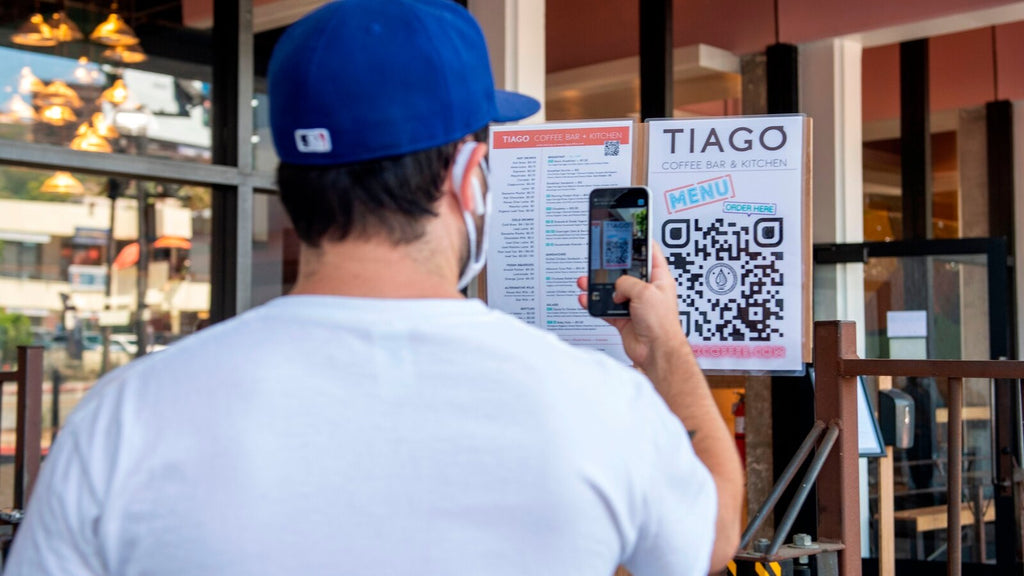
The most common way restaurants use QR codes is to replace printed menus with digital versions. Guests simply scan a code at the table and instantly open your menu on their phone. This makes it easy to update prices, add seasonal items, and change dishes without reprinting anything. Digital menus also help keep tables clutter-free and create a fast, contactless experience.
QR codes for table ordering
Many restaurants now connect QR codes directly to online ordering systems. Customers can browse the menu, choose items, and place orders from their phone without waiting for a server. This speeds up service during busy hours and reduces mistakes in order taking. It is especially useful for cafés, fast-casual spots, and food courts.
QR codes for payments
QR codes can also be linked to payment pages, allowing guests to pay the bill directly from their device. Instead of waiting for a check or card machine, customers can complete payment in seconds. This improves table turnover and creates a smoother, more convenient checkout process for both staff and guests.
QR codes for customer feedback
Restaurants can place QR codes on tables, receipts, or counters to collect reviews and feedback. Scanning the code can open a short survey, Google review page, or feedback form. This gives owners valuable insights into service quality and guest satisfaction while making it easy for happy customers to leave positive reviews.
QR codes for promotions and loyalty programs
QR codes are a simple way to promote special offers, discounts, and loyalty rewards. A single scan can take guests to a coupon, sign-up form, or membership program. Restaurants can use this to encourage repeat visits and build stronger relationships with regular customers.
QR codes for Wi-Fi access
Instead of sharing long passwords, restaurants can create QR codes that connect guests to Wi-Fi instantly. This improves the customer experience and saves staff time. It is a small but useful feature that many guests appreciate, especially in cafés and casual dining spaces.
QR codes for events and reservations
QR codes can also link to booking systems, event pages, or catering inquiries. Guests can quickly reserve a table, check event details, or contact the restaurant with one tap. This makes communication easier and helps restaurants manage bookings more efficiently.
Best examples of QR codes for restaurants
QR codes can be used in many practical and creative ways inside a restaurant.
1) Pizza shaped QR code

This is a fun and functional pizza shaped wooden QR code designed for pizza places and casual dining venues. Shaped like a pizza slice, this compact sign is laser-engraved from quality plywood with your custom QR code, logo, or link, and lets guests scan to open contactless menus, reviews, social pages, Wi-Fi, or payment links right from the table. Its playful design draws attention while blending naturally into the tabletop, making it both a decorative and practical addition to any dining space.
2) Custom wooden QR code social media sign

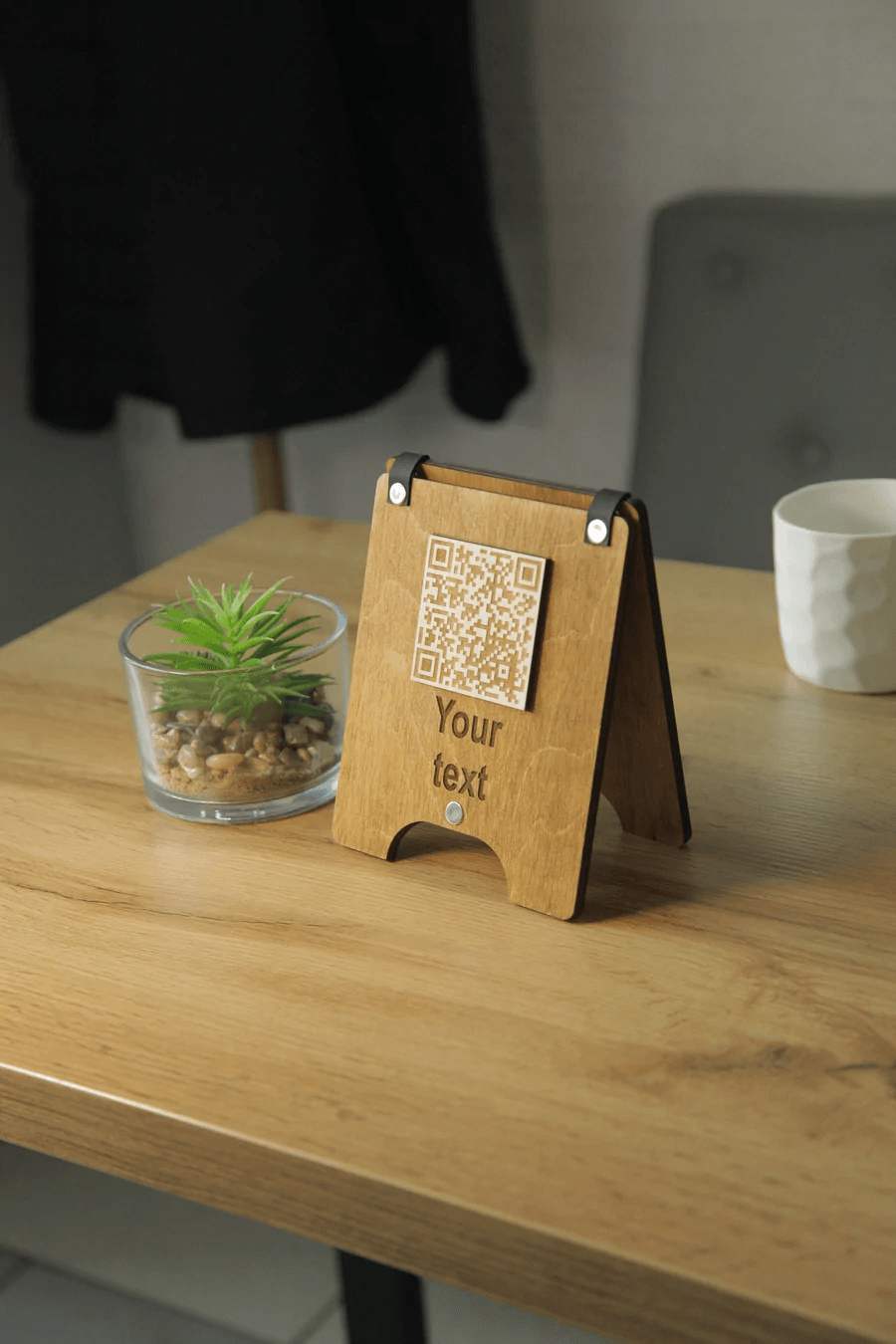
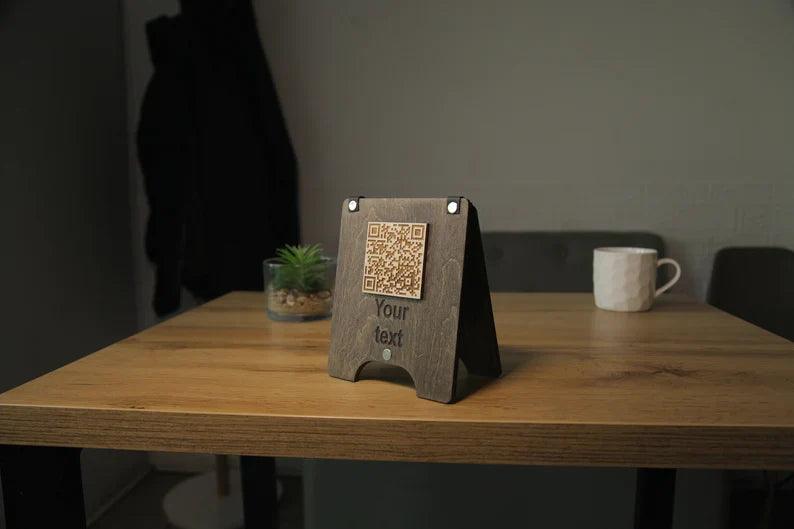
This QR code social media sign is a versatile, handcrafted wooden display that helps restaurants, bars, and small businesses promote online engagement and direct customers to social media, menus, websites, or contact pages with a single scan. Available in multiple wood finishes and with options for one to six sides of engraving, this sign can be tailored to show different QR links on each face. Its natural wood look fits elegantly into interiors, offering a stylish way to connect guests with your digital content while reinforcing your brand identity.
How to create a QR code for a restaurant menu

Creating a QR code for your restaurant menu is a simple process that any restaurant owner or manager can handle without technical skills. The key is to follow a few clear steps so the code is easy to scan, simple to update, and convenient for guests to use.
Step 1: Prepare your digital menu
Before generating a QR code, you need a digital version of your menu. This can be a PDF file, a webpage on your site, or a menu hosted on a restaurant platform. Make sure the menu is mobile-friendly, clearly formatted, and easy to read on small screens. A well-designed digital menu is just as important as the QR code itself.
Step 2: Choose where the menu will live
Decide where your menu will be stored online. You can upload it to your website, a menu management platform, or a cloud service. The important part is having a stable link that does not change often. This link is what your QR code will open when guests scan it.
Step 3: Use a QR code generator
Once you have a menu link, use a QR code generator tool to create the actual code. Many free and paid services allow you to paste your menu URL and instantly generate a scannable QR image. It is recommended to choose a generator that supports dynamic QR codes so you can update the menu later without changing the printed code.
Step 4: Customize the design
Most QR code platforms let you customize the look of your code. You can add your restaurant logo, adjust colors to match your brand, and choose different shapes or frames. Customization helps the QR code feel like part of your restaurant identity instead of a generic black-and-white square.
Step 5: Test the QR code
Always test the QR code before printing or displaying it. Scan it with different phones and apps to make sure it opens quickly and leads to the correct menu page. Check that the menu loads fast and looks good on both Android and iPhone devices.
Step 6: Display the QR code in the restaurant
After testing, place your QR codes where guests can easily find them. Common options include table stands, menu holders, wall signs, coasters, or stickers near the entrance. Make sure the code is large enough to scan from a comfortable distance and well lit.
Step 7: Update the menu when needed
One of the biggest advantages of QR codes is flexibility. When prices or dishes change, you simply update the digital menu file or webpage. If you use a dynamic QR code, there is no need to replace printed signs, saving time and money.
How to use QR codes for restaurant ordering

QR codes can turn a traditional dining experience into a fast, modern ordering process. When set up correctly, they help guests place orders easily while reducing workload for staff. Here is a clear explanation of how restaurants can use QR codes for ordering step by step.
Connect QR codes to an ordering system
The first step is to link your QR code to a digital ordering platform. This can be your restaurant website, a POS system, or a specialized ordering app. When guests scan the code, they should be taken directly to a mobile-friendly page where they can browse the menu and start ordering.
Place QR codes at tables
To make ordering convenient, put QR codes on every table using stands, coasters, or small signs. Each code can open the same general menu or be assigned to a specific table number. This allows the system to know exactly where the order is coming from without staff involvement.
Let guests order from their phones
After scanning the code, customers can view the full menu, select items, choose options, and add notes just like in a delivery app. They can order drinks, appetizers, main courses, or desserts whenever they are ready. This removes the need to wait for a waiter to take the order.
Send orders directly to the kitchen
A properly configured QR ordering system sends orders straight to the kitchen display or printer. This reduces human error and speeds up service. Cooks receive clear, organized tickets, and servers spend less time writing orders by hand.
Enable easy reordering
One big advantage of QR ordering is that guests can reorder at any time. If someone wants another coffee or an extra side dish, they simply open the QR menu again and add more items. This improves guest satisfaction and often increases the average bill size.
Add digital payments
Many restaurants combine QR ordering with mobile payments. After finishing their meal, guests can pay through the same system without waiting for the check. This makes the whole process smoother, reduces queues, and speeds up table turnover.
Use QR ordering for takeout
QR codes can also be placed at the entrance or on posters to allow quick takeout ordering. Customers scan the code, place an order while waiting, and receive a notification when it is ready. This is especially helpful for cafés and quick-service restaurants.
Why restaurants should use QR codes

QR codes have become a practical everyday tool for modern restaurants. They are simple to implement, inexpensive, and useful in many areas of service and operations. Here are the main reasons why more and more restaurants choose to use QR codes.
Faster and more efficient service
QR codes help reduce waiting time for guests. Instead of waiting for printed menus, bills, or staff attention, customers can scan a code and access what they need instantly. This speeds up ordering, payments, and communication, especially during busy hours.
Lower printing costs
Traditional menus require constant reprinting whenever prices or dishes change. With QR codes, the menu lives online and can be updated at any moment. Restaurants save money on design, printing, and replacement of worn-out paper menus.
Easy menu updates
QR codes make menus flexible and dynamic. You can add daily specials, remove sold-out items, or change prices in minutes without replacing anything in the dining room. This is especially valuable for seasonal menus and restaurants with frequent changes.
Improved hygiene and cleanliness
Digital menus accessed through QR codes reduce the need for shared physical menus. This keeps tables cleaner and minimizes the number of items that need to be touched by many guests. It is a simple way to create a more comfortable and hygienic environment.
Better guest experience
Most customers are already familiar with scanning QR codes. It feels convenient and modern to open a menu, place an order, or pay the bill directly from a smartphone. Offering this option shows that your restaurant cares about comfort and up-to-date service.
Higher order accuracy
When guests place orders themselves through a QR system, there are fewer misunderstandings and fewer mistakes. Orders go directly to the kitchen exactly as the customer entered them, which improves accuracy and reduces waste.
Increased revenue opportunities
QR codes can be used to promote desserts, drinks, and add-ons at the right moment. Digital menus can highlight specials or upsell items automatically. Easy reordering through QR codes often leads to larger average checks.
Valuable customer feedback
With QR codes, restaurants can easily collect reviews and feedback. A quick scan can open a survey or Google Review page, helping businesses understand guest preferences and improve service quality.
Simple marketing and loyalty tools
QR codes make it easy to share promotions, loyalty programs, event information, and social media pages. Guests can connect with your brand in seconds, helping build long-term relationships and repeat visits.
Best platforms for creating restaurant QR codes

Different platforms offer various features such as digital menus, online ordering, analytics, and dynamic QR code management. The platforms below are some of the most popular and reliable options used by restaurants around the world to create, manage, and update QR codes quickly:
-
iMenuPro: Offers easy-to-update digital menus, including QR Ultra.
-
QR Code Generator: A common choice for creating menu codes.
-
MustHaveMenus: Provides tools for both design and code generation.
-
QRCodeKIT: Features dynamic QR codes that allow for instant content updates.
-
OddMenu: Focuses on creating interactive, mobile-friendly menus that boost sales.
Explore KyivWorkshop’s custom wooden QR codes

KyivWorkshop produces custom wooden QR code signs specifically for restaurants, cafés, bars, and hotels. Each piece is made to order and can be engraved with your logo, brand colors, and exact QR content.
They can be used for digital menus, ordering pages, Wi-Fi access, Google reviews, feedback forms, and loyalty programs. Because the codes are engraved rather than printed, they remain clear and scannable for years, even in high-traffic environments.
We invite you to have a look at the collection of customizable QR codes to discover custom options that perfectly fit your brand.
FAQs
How to increase restaurant loyalty with QR feedback?
Restaurants can increase loyalty by placing quick feedback forms behind QR codes that guests can open in seconds. These short surveys help collect valuable data about food, service, and atmosphere. When customers see that their opinions are heard, the overall guest experience becomes more personal and positive. Happy diners who feel appreciated are far more likely to return and recommend the place to others.
What are the best contactless dining solutions for modern restaurants?
The most effective solutions include digital menus, mobile payments, and contactless ordering directly from the table. QR-based tools speed up service and make the entire dining experience smoother and more convenient. Simple tools like branded table tents with QR links help guests access everything they need without waiting. These options reduce staff workload while keeping service modern and efficient.
How to use QR codes?
To use QR codes, a restaurant only needs a scannable code linked to a menu or service page. Guests open the code with a mobile device and instantly reach the needed information. Scanning works through the built-in phone camera on most modern phones, so no extra apps are required. This makes QR technology extremely easy for both businesses and customers.
How can restaurants use QR codes to share menus and collect customer feedback securely?
Restaurants can connect qr code menus to a protected online form or feedback platform. Guests scan the code and are taken to a secure web page where they can browse options or leave comments. Digital tools allow businesses to update restaurant menus without changing printed materials. This approach keeps information organized, private, and easy to manage.
How to use QR code scan for real-time restaurant service?
A quick scan lets guests access ordering pages instantly and start qr code ordering without waiting for a server. They can browse available menu items, place requests, and send them straight to the kitchen. Orders arrive faster and more accurately, helping staff provide quality service even during rush hours. Real-time interaction makes the whole process more efficient.
How can QR codes improve contactless experiences in hospitality?
QR technology helps venues replace physical menus with cleaner and more flexible digital options. Guests simply open links using their smartphone cameras, avoiding shared objects at the table. Payments can also be handled online, creating a smoother payment experience. These small improvements make hotels, cafés, and restaurants feel safer and more modern.
Where can I buy customized QR codes for restaurant and hospitality?
Customized codes can be ordered from specialized producers that serve the restaurant industry with branded products. Many suppliers create unique qr codes engraved on wood, acrylic, or metal to match interior design. These signs can be placed at the entrance, on tables, or near the host stand. A professional design makes QR tools look like part of the décor instead of a technical add-on.
How do QR order systems help cafes improve customer satisfaction?
A full qr code ordering system lets guests browse, order, and pay directly from their phone. This is especially helpful for busy cafés with fast dine in turnover. Customers no longer need to wait in line or call a server to add more items. Faster service and fewer mistakes lead to happier, more relaxed visitors.
How can restaurants use QR menus to streamline customer ordering?
A simple menu qr code on each table opens the ordering page in the same tab on the guest’s phone. From there, customers can choose dishes, customize options, and send requests instantly. Orders flow directly into kitchen systems, improving daily restaurant operations. This reduces confusion and saves time for both staff and guests.
How do contactless menus improve safety and convenience for restaurant guests?
Digital access means there is no need to handle shared paper ones that pass from table to table. Guests can read detailed descriptions and prices on their own screen at any time. Restaurants can also use separate qr codes for different areas such as bar menus or dessert lists. Together these features create a cleaner, quicker, and more flexible service model.
How do QR code menus enhance overall customer experience in restaurants?
Modern tools like a menu qr allow visitors to explore options at their own pace. Updates can be made instantly without reprinting restaurant menus again and again. Clear photos, allergens, and extras help customers make better choices before they order. All of this makes the visit more comfortable and organized.
How can a restaurant connect a QR code to an online ordering system?
First, create or choose a digital ordering platform that hosts your menu. Then generate a code that links directly to that system so guests can open it in seconds. The code can be printed on cards, stickers, or displays around the dining room. Once connected, every scan leads customers straight into a smooth ordering flow.
What is the easiest way to create and manage a menu QR?
The simplest method is to upload your menu to a stable online location and generate a scannable link. Many free and paid tools let you design, update, and track a menu qr without technical skills. Dynamic codes are especially helpful because the content can be changed anytime. With one well-placed code, a restaurant can manage all digital interactions from a single source.